
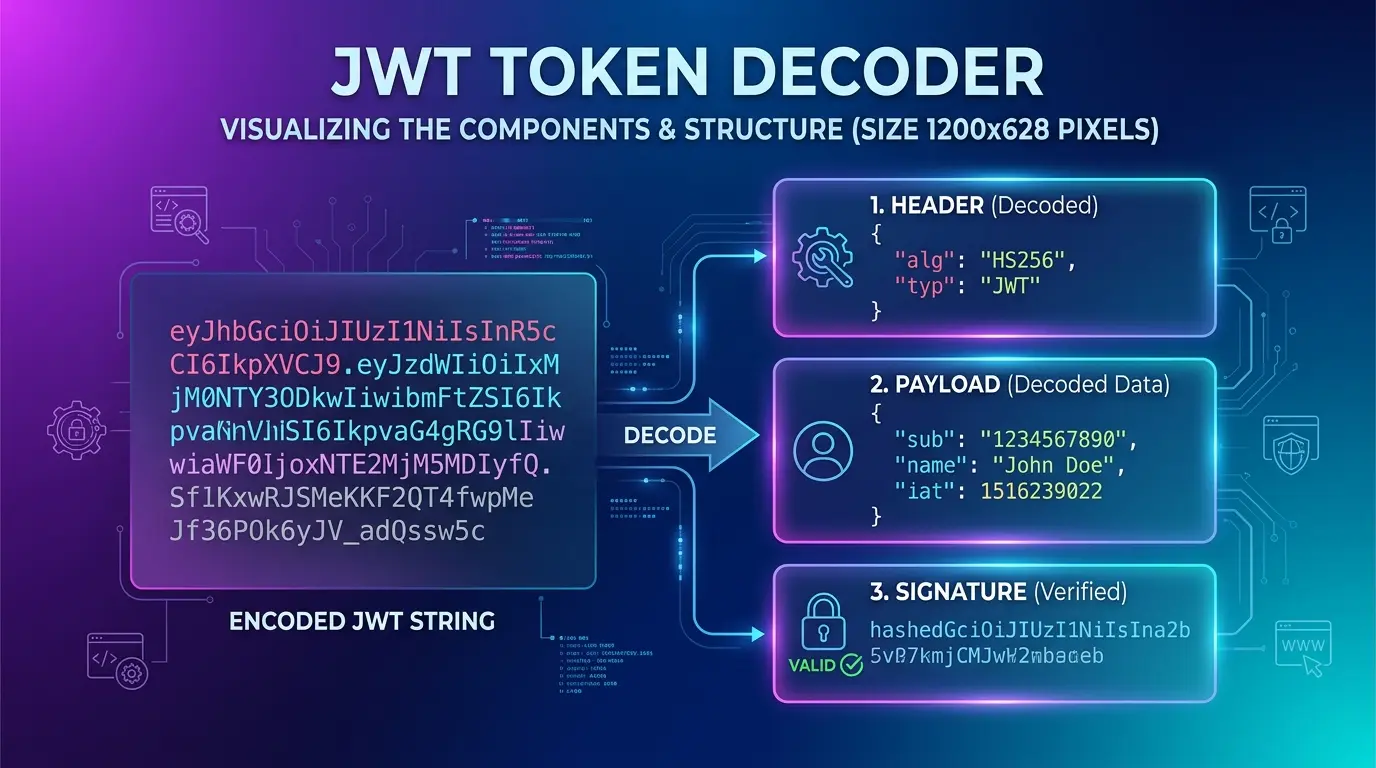
Decode JWT Token – JWT Token Decoder Online
Decode and inspect any JWT token instantly — view the header, payload, and signature without any software installation.
JWT Decoder
What is a JWT Token?
JWT (JSON Web Token) is a compact, URL-safe token format used to securely transmit information between parties as a JSON object. It is widely used in modern authentication and authorization systems.
A JWT token consists of three parts separated by dots (.):
Header
Contains the token type and hashing algorithm used.
Payload
Contains the claims — user data and metadata.
Signature
Used to verify the token has not been tampered with.
Example JWT Token:
A JWT decoder splits this token and displays each part in readable JSON format.
Key Features of JWT Token Decoder
Instant JWT Decoding
Decode any JWT token instantly without delays.
View Header & Payload
Inspect token header, payload, and claims easily.
Readable JSON Output
Decoded data is displayed in clean JSON format.
Developer Friendly
Perfect for developers debugging authentication systems.
Secure Processing
Your token is processed instantly and not stored.
Works on Any Device
Compatible with desktop, tablet, and mobile browsers.
Tools Available in Security & Privacy Category
| Tool | Description |
|---|---|
| Token Generator | Generate secure random tokens |
| UUID Generator | Generate unique UUID values |
| HMAC Generator | Generate HMAC hash signatures |
| Decode JWT Token | Decode and inspect JWT tokens |
How to Decode JWT Token Online
Step 1
Paste your JWT token into the input field.
Step 2
Click the Decode Token button.
Step 3
View the decoded header and payload in JSON format.
Step 4
Inspect claims, expiry, and other token data.
Benefits of Using JWT Token Decoder
- Instantly inspect JWT token contents without manual decoding
- Debug authentication issues in APIs and web applications
- Verify token claims such as user ID, roles, and expiry
- Understand JWT structure for development and testing
- Free and fast — no installation required
Example of JWT Token Decoding
Encoded JWT Token
Decoded Header
Decoded Payload
Why Developers Use JWT Token Decoder
Developers and security engineers frequently use JWT decoders when building and testing authentication systems.
Common use cases include:
- Debugging API authentication responses
- Verifying token claims and expiry dates
- Testing login and authorization systems
- Inspecting third-party JWT tokens
- Learning and understanding JWT structure
This tool is commonly used by:
- Backend developers
- API engineers
- Security engineers
- Full-stack developers
Frequently Asked Questions (FAQs)
What is a JWT token?
JWT (JSON Web Token) is a compact token format used to securely transmit information between parties as a JSON object.
How do I decode a JWT token?
Paste your JWT token into the input field and click Decode. The tool will display the header, payload, and signature instantly.
Is JWT decoding secure?
JWT decoding only reads the token data. It does not verify the signature unless a secret key is provided.
Is this JWT decoder free?
Yes, this JWT token decoder is completely free to use.
Is my JWT token stored when using this tool?
No. Your token is processed instantly and not stored on the server.